





Face Swap

| Navigation |
| About • Origin • Spread • Notable Examples • Search Interest • External References • Recent Images • Recent Videos |
About
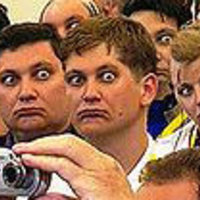
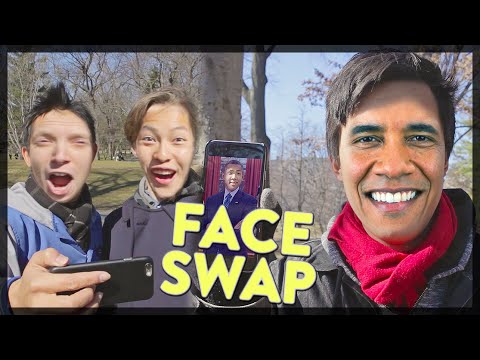
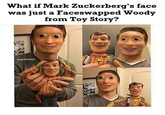
Face Swapping is a Photoshop technique that involves digitally swapping the faces of two or more subjects depicted in a given photograph. A well-known variation of the practice is facebombing, a similar technique that involves taking one face in a group and applying it to all subjects in the photo. The practice radically increased in popularity in 2015, when several automated apps were created to instantly swap faces in photo and video.
Origin
The exact origin of face swapping is unknown, but it's popularity as a method of creating exploitable images dates back to the beginning of Photoshop. Two of the earliest known exploitable photoshop memes in the early 2000s, Asian Prince (shown below, left) and Little Fatty (shown below, right), featured many examples in which the subject's face was superimposed over someone else's.


Spread
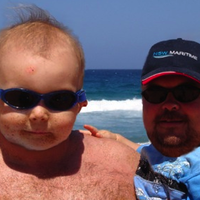
On September 6th, 2004, the Internet humor site Something Awful[7] posted a series of photoshopped images in which the faces of grandparents were swapped with babies they were holding (shown below).


On October 5th, 2005, a Flickr[2] group titled "Face Swap" was created, featuring photographs of two or more subjects with other faces superimposed over their own. In 2007, the Weegee photoshop meme began appearing on the /v/ (video games) board on 4chan, which contained examples with Luigi's face from Mario is Missing superimposed over various subjects (shown below).

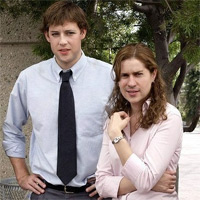
On April 17th, 2008, the single topic blog Manbabies.com[3] was launched, which highlighted swaps of men with baby faces and vice versa, a.k.a. manbaby photoshopped images. On November 1st, 2009, the Nic Cage as Everyone single topic blog was created, featuring curated photos with the face of actor Nicolas Cage swapped in (shown below, left). On March 3rd, 2010, a face swapped image of the characters Jim and Pam from the American comedy television series The Office was highlighted on The Huffington Post[4] (shown below, right).


On December 4th, 2012, the viral content site BuzzFeed[6] published a compilation of disturbing face swaps. On May 14th, 2013, the FaceMashups YouTube channel was created, which features videos of celebrities with digitally swapped faces (shown below). On May 28th, Redditor BabsonMcChonkers submitted YouTuber FaceMashups' edited clip of a scene from the 1992 military drama A Few Good Men to the /r/videos[1] subreddit, in which actor Tom Cruise's face is swapped with co-star Jack Nicholson (shown below, right). Within nine days, the post received over 1,400 up votes and the video gained more than 99,000 views.
Face Swap Live
In December of 2014, the Face Swap app launched for Android, and received between 1 million and 5 million installs in the following year.[8] On December 16th, 2015, developing house Laan Labs launched the app Face Swap Live for iPhone, which allowed people to swap faces instantly in video, and to use a photo library to swap faces with celebrities.[9] Due to the inexact nature of the app, it caused many face swap fails, similar to NBA 2k15 Facescan Fails. Many of these fails became popular on Reddit.[10]
Deepfakes
Deepfakes are videos in which the subject is face-swapped using machine-learning algorithms. The practice was created by Redditor Deepfakes, who launched a dedicated subreddit to share the videos in November 2017. In January 2018, the FakeApp desktop application was released as a tool for creating the digitally altered videos.
Notable Examples


Search Interest
External References
[1] Reddit – So I swapped Jack Nicholsons and Tom Cruise
[4] The Huffington Post – Pim Jam
[5] Face Splat via Way Back Machine – Face Splat
[6] BuzzFeed – Most Disturbing Face Swaps of 2012
[7] Something Awful – Swap grandparents and babies heads
[9] iTunes App Store – Face Swap Live
[10] Washington Post – Behind the scenes of Face Swap Live, the ‘creepy’ app that launched a thousand memes


![Bill Hader channels Tom Cruise [DeepFake]](https://i.ytimg.com/vi/VWrhRBb-1Ig/hqdefault.jpg "Bill Hader channels Tom Cruise [DeepFake]")










![Momlife_comics Ripe Peach meme and webcomic with the caption "One of the [many] differences between me & my husband."](https://i.kym-cdn.com/entries/icons/mobile/000/041/299/momlife_comics.jpg)






Comments ( 58 )
Sorry, but you must activate your account to post a comment.
Please check your email for your activation code.