









Clippy
Part of a series on Windows. [View Related Entries]

About
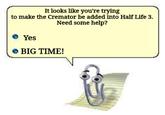
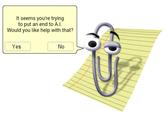
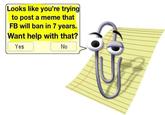
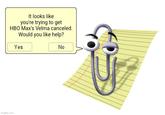
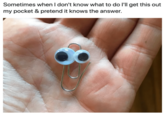
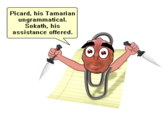
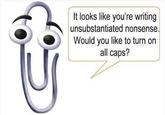
Clippit, better known as Clippy, is the default animated character in the English Windows version of Microsoft Office Assistant, an interactive user's guide that came pre-installed with Microsoft Office bundles from 1997-2003. Due to its impractical and intrusive nature, Clippy quickly became a subject of mockery among Office users, inspiring a series of satirical images and parodies addressing its overall incompetence.
Origin
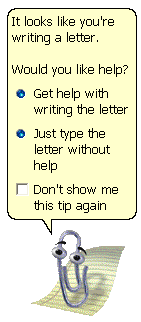
Clippy, a paperclip with googly eyes and expressive eyebrows, was designed by Kevan J. Atteberry[9] to serve as a user-friendly troubleshooter for people using Office applications including Word and Excel. For instance, typing an address followed by "Dear" would cause Clippy to pop up with and a variety of pre-determined messages, including "Hey! It looks like you're writing a letter!" before offering to help walk you through the process.
Spread
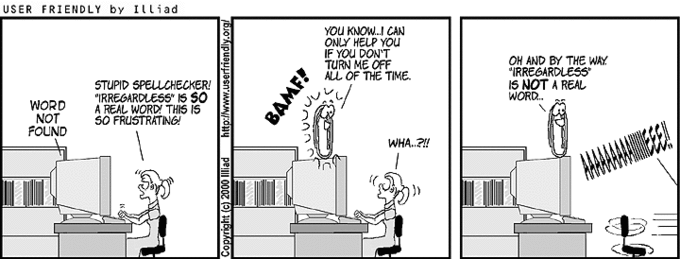
While Clippy was intended to be helpful, it was widely regarded as a failure by many users, developers and tech reviewers alike. By the following year, Microsoft product managers who knew Office Assistant had failed publicly "executed" Clippy[1] at the Professional Developers Conference held in Denver, demonstrating how to get rid of it using a Visual Basic code. Upon execution, the paper clip said, "I'm melting, I'm melting" and then disappeared. In July 2000, it was first parodied on the webcomic User Friendly.[5]
To prepare for the launch of Windows XP in May 2001, Microsoft announced that Clippy would no longer be needed[2] since the new operating system would be so easy to use. They launched a campaign[3] with actor Gilbert Gottfried as the voice of the paperclip, allowing people to vote on Clippy's next career choice as well as a song titled "It Looks Like You're Writing a Letter."[4] The campaign was covered on Cnet[6] and the Guardian.[7] Over the next several years, angry threads about Clippy appeared on a variety of message boards including the Straight Dope[8], the Open Office Forum[10] and the official Linux forums.[11] In 2003, a Stanford student named Luke Swartz completed an honors thesis on why people hated Clippy[12], finding that its joking behavior greatly affected people's perception of it. The following year, Clippy began appearing on YTMND with the first instance[14] earning nearly 4000 views.
In 2009, tech blog Technologizer[13] compiled a history of Clippy, including older versions of the office assistant that were patented but never hit the public. Thirteen years after its original release, TIME declared Clippy one of the 50 worst inventions of all time.[15]
Notable Videos
Return of Clippy
In April 2011, Microsoft reintroduced Clippy in the game Ribbon Hero 2[16], an educational game featured as an add-on for Office that taught users how to find certain commands in the program.[17]
A year later, Smore released Clippy.js[18], a Javascript version of the Office Assistant, including Clippy, that people could embed into any website. The script was featured on Geekwire[19] and Techcrunch.[20]

Search Interest
External References
[1] CNN – Microsoft's paper-clip assistant killed in Denver
[2] Microsoft News Center – Farewell Clippy: What's Happening to the Infamous Office Assistant in Office XP
[4] Wayback Machine – Clippy Downloads
[5] User Friendly – Cartoon for Jul 15, 2000
[6] Cnet – Microsoft tool "Clippy" gets pink slip
[7] The Guardian – Microsoft cuts 'Mr Clippy'
[8] The Straight Dope – If that motherf****ing PAPERCLIP FROM HELL pops up one more time…
[9] This was my biggest claim to fame.
[10] Open Office.org Forum – Please tell me I can kill the "clippy" thing!
[11] Linux Forums – Clippy jokes
[12] Why People Hate the Paperclip: Labels, Appearance, Behavior, and Social Responses to User Interface Agents
[13] Technologizer – The Secret Origins of Clippy: Microsoft’s Bizarre Animated Character Patents
[14] YTMND – I'm a Sexy Paperclip
[15] TIME – The 50 Worst Inventions: Clippy
[17] The Atlantic – The Return of Clippy
[19] Geekwire – The silly side of tech: Put Clippy on your Web site with this startup’s nostalgic hack
[20] Techcrunch – Working Clippy For Any Web Page










Top Comments
Rainbow Crash
May 30, 2012 at 12:03PM EDT
FancyReuniclus
May 30, 2012 at 03:45PM EDT